
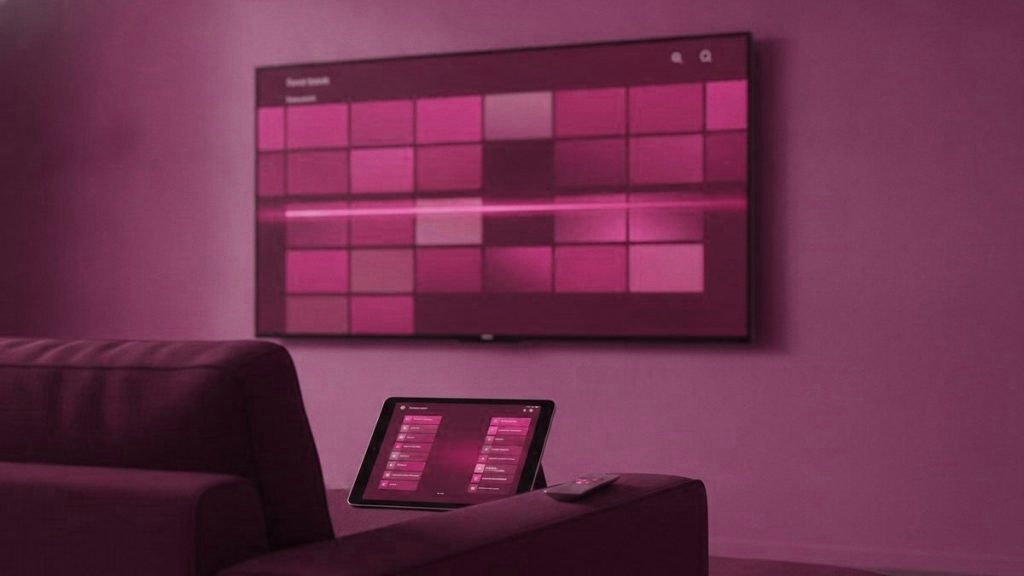
No single IPTV app wins for everyone — the one to install is whichever suits the screen in your hand, and moving between them costs you nothing. So the smart way to choose is not to scan a leaderboard but to begin with your hardware and work outward. Below, the players are sorted by the device you own, with the one misunderstanding that catches more newcomers than all the rest combined, plus the moments when a quick word with support spares you an hour of jabbing at menus.
The one thing to know first
Every IPTV player arrives empty. You install it and there is nothing inside until you type in your login. An empty screen is not a malfunction — it is how all of them behave. Miss this and you will assume the service is broken when in fact you are looking at a blank box waiting for three values.
Choose by hardware, not by star rating
An app that shines on a Firestick may not even exist for your Samsung, so the device settles more than any review score. Find your screen below.
Firestick and Android boxes
This is where TiviMate belongs, and the reason people drift toward it. TiviMate lays out a true program grid — channels running down the edge, times along the top, scrollable while a picture keeps playing in the corner. Give a plainer player a fortnight and this is the feature that pulls people across. Its no-cost tier manages one playlist and covers everyday viewing comfortably; the paid tier layers on recording, several playlists, a scheduler and split-screen, which on a Saturday stacked with matches is the entire reason to upgrade. Reckon on roughly $10 a year, or a lifetime license in the mid-thirties.
Samsung and LG TVs
These televisions cannot sideload, so the choice shrinks to what their own stores stock. IPTV Smarters Pro is the reliable go-to. Smart IPTV (usually shortened to SIPTV) is the featherweight alternative that keeps its footing on older panels. Which one fits comes down to the set’s age and whether you would rather have a login screen or the MAC-address method described further down — a question support can settle in a single reply if you name the model.
Apple TV and iPhone
With no sideloading, the field is thinner and TiviMate is absent entirely. IPTV Smarters Player is free across iOS and tvOS and makes a sound first choice. iPlayTV runs a few dollars and presents things far more handsomely, worth the outlay if the Apple TV is your primary screen. GSE Smart IPTV holds a spot as a backup because it lets you flip decoding engines, which now and then revives a channel that refuses to play anywhere else.
Windows and Mac
On a computer, think of the app as a diagnostic tool rather than a nightly habit. VLC opens a playlist link in about half a minute, which makes it the quickest way to prove an account works before you go near the television. IPTV Smarters Pro also ships desktop versions if you want a full guide.
The shortlist at a glance
| Player | Best device | Cost | Its strength |
|---|---|---|---|
| TiviMate | Firestick, Android TV boxes | Free tier; Premium ~$10/yr | The finest program guide, by a margin |
| IPTV Smarters Pro | Almost anything | Free | Works where TiviMate cannot; one login across the house |
| Smart IPTV | Samsung, LG | Small one-off per TV | Nimble on aging sets |
| iPlayTV | Apple TV, iPhone | One-off purchase | The best-looking Apple choice |
| GSE Smart IPTV | iOS, Android | Free tier | Interchangeable decoder engines |
| VLC | Windows, Mac | Free | Testing a playlist in seconds |
TiviMate’s Premium quirk that catches everyone
One detail trips up nearly every new TiviMate user: the upgrade is not sold inside TiviMate on the television. You buy it in a separate phone app named TiviMate Companion, and it then syncs across to the TV. People scour the big screen for a purchase button, come up empty, and conclude the option is missing. The platform boundary is hard, too — Android only, with no build for Apple, Samsung or LG — and the similarly titled apps in those other stores are unrelated products.
The Smart IPTV MAC-address surprise
Smart IPTV pulls a move that looks like a bug the first time round: there is no sign-in screen anywhere. Instead the app shows your set’s MAC address, and from a phone or laptop you register your playlist against that MAC on the developer’s site. The television then pulls it down. This is intentional, and it is what keeps the app light on TV chips that strain under anything heavier. You get seven free days, after which it asks a small one-off unlock for that particular set — paid to the developer, and nothing to do with your subscription. Reinstall the app or factory-reset the TV and the saved playlist is gone, which is the cause of nearly every “playlist expired” report people post.
What genuinely separates a good player from a poor one
- Guide quality. The program grid is where you spend the most time. A weak one drags down a subscription that is otherwise fine.
- How fast channels change. The delay between a button press and a picture. TiviMate is visibly snappier than the field.
- Decoder choice. The ability to flip between hardware and software decoding resolves a surprising number of dead-channel gripes.
- Favorites that stick. Trimming thousands of channels down to forty is what makes the list usable. A player that keeps forgetting them is effectively useless.
Setting up any player, step by step
The specifics vary between apps, but the shape of a first setup is identical everywhere. Knowing the order lets you tell a real problem from a step you simply have not reached.
- Install the player from your device’s official store, or by sideloading the official file onto a Firestick.
- Pick the login type. Where both are offered, take Xtream Codes over M3U — it fetches the guide and on-demand catalog for you.
- Type in the three values exactly as issued: server address, username, password. Almost every first-day failure is a mistyped character or two fields swapped here.
- Give the guide a moment to fill. A big channel list and its schedule can take a minute or two to load the first time; a blank screen at this point is usually patience, not a fault.
- Build a favorites list. Curate the thirty or forty channels you actually watch. This single act is what turns thousands of entries into something navigable.
If a step throws an error you cannot place, that is the moment to message support rather than reinstall on a loop — the fix is usually one setting, and a person can read it off a photo of your screen in seconds.
Common player errors and what they mean
Most “the app is broken” messages turn out to be one of a short list of known issues, each with a fast fix:
- A channel buffers in every player. Flip the decoder from hardware to software in settings. That clears a good share of stubborn channels; if it does not, the trouble is your line or the server, not the app.
- Black screen with sound, or sound with no picture. Almost always a decoder mismatch — the same toggle, moved the other way.
- Channel names but no guide. On an M3U setup the EPG often has to be added as its own URL; on Xtream it should arrive by itself, so re-check the login.
- “Playlist expired” on a Samsung or LG. This is the Smart IPTV MAC-address quirk above, not a lapsed account. Re-upload the playlist against the TV’s MAC.
- Nothing loads at all. Recheck the three login values first, then your connection. A wired link removes many of these at the root.
Free versus paid: what the money actually buys
The pricing here confuses people because it does not follow the usual software pattern. IPTV Smarters Pro is truly free, with no paid tier, and always has been. That occasionally breeds suspicion, but the model is plain: providers commission branded editions, which funds the public build. VLC and the free tiers of TiviMate and GSE cost nothing either. Where money does change hands it is small and one-way: TiviMate Premium is about $10 a year for recording, multiple playlists and split-screen; Smart IPTV asks a modest one-off unlock per television; iPlayTV is a single purchase. Crucially, none of that reaches your IPTV provider — it goes to the app maker. Your subscription and your app are separate buys from separate parties, which is why “I paid for the app, so where are my channels” is a category mistake: the app fee never bundled a subscription, and the subscription never bundled an app.
Staying safe in the app stores
Because these apps are popular and their names are generic, the stores teem with imitations. A few habits keep you clear of trouble. Install from the official store where one exists, and on a Firestick sideload only the genuine file rather than something linked off a forum — that is the main route by which malware lands on a streaming device. Be especially wary in Apple’s App Store, where several unrelated apps borrow names deliberately close to TiviMate, which has no Apple version at all. Unsure which listing is the real one? Ask support instead of guessing; naming the right app for your device is precisely the sort of thing a good service settles in one line.
One account, every screen at once
A point that saves a lot of head-scratching: your credentials are not tied to one gadget. The very same server address, username and password configure every device you own, all at the same time. Set up the Firestick in the living room, the phone in your pocket and the tablet in the kitchen from one login, and each simply works. What caps you is not the app and not the number of installs — it is how many streams your plan allows to play simultaneously, which is a property of the subscription rather than the software. Hit that ceiling and one screen waits for another to stop; stay under it and the account is effectively everywhere.
Two habits round this off. Where a player offers both, pick an Xtream Codes login over an M3U link, since Xtream pulls the guide and on-demand catalog on its own while M3U often needs the guide added by hand. And install only from official sources — a device’s own store, or the genuine sideload file on a Firestick — because pulling a player off a random link is the usual way trouble arrives.
Our picks, per device
Firestick or Android box: TiviMate, adding Premium if live sport is your thing. Samsung or LG: IPTV Smarters Pro first, Smart IPTV if the set is older and laboring. Apple: Smarters Player to start, iPlayTV if you lean on it daily. Computer, purely for testing: VLC with the playlist link. Every one of them takes a GofluxTV account, because it comes as a standard Xtream Codes login rather than anything proprietary. Each player has a walkthrough in the setup hub, and the free trial hands you 24 hours to watch how one behaves on your own hardware before you pay.
Frequently asked questions
What is the best IPTV app?
There is no single best app, only the best one for your device. On a Firestick or Android box it is TiviMate; on Samsung and LG it is IPTV Smarters Pro or Smart IPTV; on Apple it is Smarters Player or iPlayTV. Switching between them costs nothing.
Why does my IPTV app have no channels after installing?
Because every player is empty until you enter your login. It is not a fault. Add your Xtream server, username and password, or your M3U link, and the channels and guide load. A typo or two swapped fields is the usual first-day snag.
Is TiviMate free?
There is a free tier that handles a single playlist and covers ordinary viewing. Premium, around $10 a year, adds recording, multiple playlists and multi-view. One quirk: Premium is bought in a separate phone app called TiviMate Companion, not on the TV, and TiviMate is Android-only.
How do I fix a channel that keeps buffering?
First try switching the decoder from hardware to software in the app's settings, which clears many stubborn channels. If it persists on every player, it is a connection or server issue rather than the app; a wired Ethernet link removes most of it.
Why does my Samsung say playlist expired?
That is the Smart IPTV MAC-address system, not a lapsed subscription. The app has no login screen; you upload your playlist against the TV's MAC on the developer's site, and reinstalling or resetting the TV wipes it. Re-upload it and the channels return.
Which login should I use, Xtream or M3U?
Choose Xtream Codes where the player offers both. It pulls the guide and on-demand library automatically, while an M3U link often needs the guide added separately. GofluxTV issues a standard Xtream login that works in every recommended player.
Ready to watch 25,000+ channels?
Message the team on WhatsApp, get your login in under 15 minutes, and we set it up with you. 7-day money-back guarantee.
Related articles
Wired vs Wi-Fi for IPTV: Which Is Better?
Quick answer: Wired is better for IPTV. An Ethernet cable gives a steady, interference-free connection that plays 4K reliably at any time…
October 15, 2026How to Stop IPTV Freezing and Lag
Quick answer: To stop IPTV freezing and lag, restart your box and router, switch to a wired or 5 GHz connection, clear…
October 15, 2026IPTV Picture Quality: 4K vs FHD vs HD Explained
Quick answer: 4K has four times the pixels of Full HD and looks sharpest on large modern screens, but it needs the…